Free LinkedIn Video Downloader
Paste a link to any public LinkedIn post and download the video as an MP4 — free, no watermark, no app, no sign-up. Preview it right here first, then save it to your device.
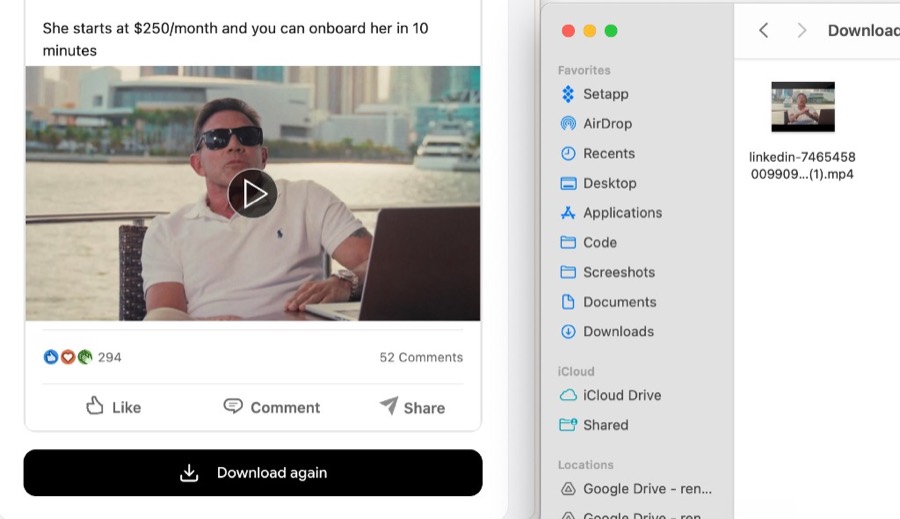
LinkedIn Video Downloader — Save Any LinkedIn Video as MP4
Want to keep a video you found on LinkedIn? Paste the link to any public post and this tool lets you download the video as a regular MP4 file — no watermark, no app, and no sign-up. You get just the video, without the post text, reactions, or comments. Preview it right here to make sure it’s the right clip, then save it to your computer, phone, or tablet. Free and simple.
Why use our LinkedIn video downloader
A simple way to save a LinkedIn video to your device — clean, fast, and free.
Save the real MP4 file
Download the actual video file to your device — not a screen recording or a link. Keep it, re-share it, or edit it however you like.
Just the video — no watermark
You get a clean video with no added logo or watermark, and none of the post text, reactions, or comments attached.
See it before you save it
The video plays right here on the page, so you know you’re grabbing the right clip before you download.
Fast and free
No sign-up, no account, no app to install. Paste a link and save your video in a couple of seconds.
Works on any device
Download LinkedIn videos on your computer, phone, or tablet — it all runs right in your browser.
No software needed
No browser extension and nothing to install. Everything happens on this page, right in your browser.
Frequently asked questions
Everything you need to know about downloading LinkedIn videos.
How do I download a video from LinkedIn?
+
Copy the link to the LinkedIn post (use “Copy link to post” from the post’s menu), paste it into the box above, and click “Download Video.” You’ll see a preview, then it saves to your device.
Does the video have a watermark?
+
No. You get the original video with no added logo or watermark, and without the post text, reactions, or comments.
Where does the video get saved?
+
It saves to your device’s normal downloads location — the same place your browser puts everything else you download. On a phone, check your Downloads or Files app.
Is this free? Do I need an account or an app?
+
It’s 100% free. No sign-up, no account, and no app or browser extension. It runs right in your browser on Mac, Windows, phones, and tablets.
What kind of LinkedIn links work?
+
Paste a post URL like the one from “Copy link to post,” or a feed update link containing “urn:li:activity:”. The post just needs to be public and contain a video.
Why doesn’t it work for some posts?
+
Only public posts work. If the post is private, members-only, was deleted, or doesn’t actually contain a native LinkedIn video (for example, a reshared article or a YouTube link), there’s nothing for us to download.
Can I use these videos commercially?
+
Videos on LinkedIn belong to the people who posted them. Use them for personal reference and always get permission before reusing someone else’s video publicly or commercially.