7 Best AI Thumbnail Makers for YouTube (2026)
AI thumbnail makers are genuinely good right now. A year ago, faces looked plastic and headline text came out garbled. In 2026, the best AI YouTube thumbnail generator tools produce covers that hold up next to a professional designer: bold text, expressive faces, high contrast, and layouts that match what already wins clicks in your niche. The bigger win is speed. A Fiverr thumbnail designer often charges $30–50 per cover, needs a brief and a revision round, and ships in 24–72 hours. An AI thumbnail maker lets you generate five variants in one sitting, pick the strongest, tweak one element, and upload the same afternoon. For weekly uploaders, that iteration loop is the real advantage.
This list ranks seven AI thumbnail makers worth trying: what each costs, who it fits, and where it falls short.
Before you generate: download reference thumbnails from top videos in your niche with the free thumbnail downloader or a dedicated YouTube thumbnail grabber and upload them into whichever tool you pick. For the full workflow (prompts, personas, Test & Compare), see how to create YouTube thumbnails with AI.
Compare AI thumbnail makers
| Tool | Best for | Starting price | Face / persona | Recreate from URL | Free tier |
|---|---|---|---|---|---|
| Higgsfield | All-in-one dedicated covers | Free credits; paid plans | Yes (cutout + variants) | Via reference upload | Daily free credits |
| Pikzels | Likeness + CTR layouts | ~$19–40/mo | Yes (persona + FaceSwap) | Yes | Watermarked trial |
| Hooksnap | Thumbnails from your video | Free; paid above | Brand kit | Yes (video URL) | 10 credits/mo |
| ChatGPT | Quick layout drafts | ~$20/mo (Plus) | Limited | Manual reference in chat | No (needs Plus) |
| Google Flow / Gemini | Free readable text | Free tier | No persona | Manual | Yes |
| Thumbnail.ai | Multi-engine tests | ~$19–49/mo | Photo upload | Reference image | Trial |
| Canva AI | Templates + manual polish | ~$15/mo | No | Templates only | Limited AI credits |
Also on the market: Thumbmagic (CTR-focused viral templates), Miraflow (fast generations for high volume), and VidIQ (thumbnail mode bundled with channel analytics; output lags dedicated apps in Dan Kieft's comparison).
Video: Dan Kieft recreates the same MrBeast-style thumbnail in ChatGPT, VidIQ, Pikzels, Thumbnail.ai, and Canva with identical prompts and reference photos in I Made the Same Thumbnail in Every AI Thumbnail Maker:
1. Higgsfield: best dedicated AI thumbnail maker
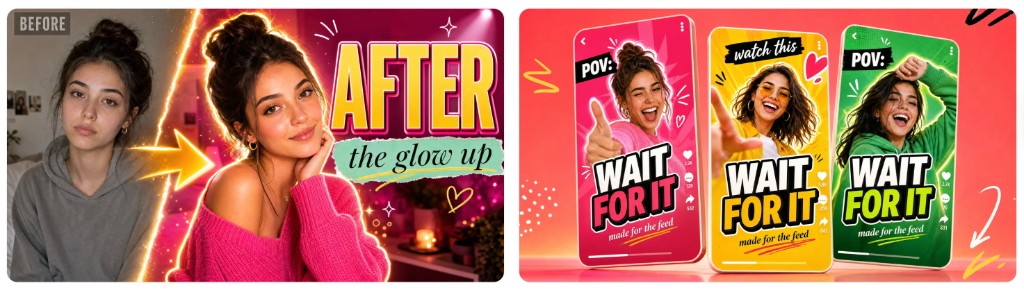
Higgsfield AI Thumbnail Generator is built only for covers, not a general image editor bolted onto a video suite. You start from a video title or photo, add reference thumbnails, and get face cutout, bold outlined text, high-CTR layout presets, and A/B variant sets in one workflow.
Why it ranks #1: It is the most complete AI YouTube thumbnail generator for creators who want upload-ready files, 15+ models (GPT Image, Nano Banana Pro, FLUX, and others) in one subscription, and Shorts plus long-form sizing without hopping between apps.
| Pros | Cons |
|---|---|
| Face cutout, bold text, variant sets | Paid plan needed for heavy volume |
| 15+ models; daily free credits to test | Validate likeness on your own face first |
| Title-to-upload pipeline | Not in every third-party shootout video |
Best for: Creators who want one AI thumbnail maker from idea to finished cover.
Skip if: You only need a single throwaway concept and already have ChatGPT Plus.
2. Pikzels: best for facial likeness
Pikzels is YouTube-native: paste any video URL to recreate its layout, train a persona on your face, clone a channel style from its URL, then edit in place (swap props, relight, add texture). Independent reviewers describe it as trained on click psychology (contrast, focal point, text placement), not generic art generation. In Dan Kieft's five-tool comparison, Pikzels beat ChatGPT, VidIQ, Thumbnail.ai, and Canva on likeness and consistency.
| Pros | Cons |
|---|---|
| Strongest face match in side-by-side tests | Premium tier (~$40/mo) is where value lives |
| Recreate-from-URL + channel style cloning | Credits burn fast on daily upload schedules |
| In-place edits without starting over | YouTube-focused only |
Best for: Face-forward channels where looking like you matters most.
Skip if: You want thumbnails generated automatically from your video transcript (see Hooksnap).
3. Hooksnap: best AI YouTube thumbnail generator from video
Hooksnap takes a different approach than prompt-only tools. Paste a YouTube URL (or upload a file) and it analyzes the transcript, key moments, and topic, then generates thumbnail concepts grounded in what the video is actually about. The free tier includes 10 credits per month, each producing multiple variants suited to YouTube's Test & Compare workflow.
| Pros | Cons |
|---|---|
| Generates from video content, not a guess | Slower first run (analysis step) |
| Multiple variants per credit | Smaller brand than Canva or ChatGPT |
| Free tier covers ~weekly publishing | Less control than full manual design |
Best for: Creators who want covers that match the video without writing a long prompt.
Skip if: You need hyper-specific face swap from a persona library (Pikzels wins there).
4. ChatGPT: best if you already have Plus
ChatGPT with DALL·E is the AI thumbnail maker most people already have. Drop reference thumbnails plus photos of yourself into chat, describe the layout, and iterate in conversation. Quality for composition and mood can match a designer's first draft; likeness is the weak spot.
| Pros | Cons |
|---|---|
| No new subscription if you have Plus (~$20/mo) | Face match deliberately limited (deepfake policy) |
| Fast brainstorming and layout drafts | No persona training or YouTube presets |
| Reference images in chat | Inconsistent aspect ratios without careful prompting |
Best for: Occasional concepts and moodboards before you finalize in Higgsfield or Pikzels.
Skip if: Your face must appear reliably in every thumbnail.
5. Google Flow / Gemini: best free AI thumbnail maker
Google Flow (Gemini's creative studio) with Nano Banana models is the strongest free AI YouTube thumbnail generator right now for readable text baked into the image, which used to be AI's worst failure mode. Creators report clean headline overlays when the prompt names subject, emotion, composition, and exact on-image text.
| Pros | Cons |
|---|---|
| Free tier; no watermark on many outputs | No persona system or thumbnail-specific UI |
| Strong text-in-image when prompted correctly | General-purpose workflow, not one-click upload |
| Good zero-budget starting point | May need Canva for final typography tweaks |
Best for: Testing hooks before you commit to a paid AI thumbnail maker.
Skip if: You publish daily and need automated variants and cutouts.
6. Thumbnail.ai: best for multi-engine experiments
Thumbnail.ai lets you upload a base reference, your photo, and headline text, then run OpenAI and Nano Banana engines side by side (~$19–49/mo). Useful when you want to compare models without juggling subscriptions.
| Pros | Cons |
|---|---|
| Multiple engines in one UI | Likeness lagged Pikzels in Dan Kieft's test |
| Landscape export + title text field | Layout quality inconsistent |
| Mid-tier pricing | Feels like a wrapper, not a full pipeline |
Best for: Tinkerers running engine A/B tests on the same prompt.
Skip if: Likeness is non-negotiable.
7. Canva AI: best with templates, not raw AI alone
Canva's AI thumbnail maker (~$15/mo) fits creators who already live in Canva. The dedicated AI mode is a one-shot Magic Media generator with little control. In side-by-side testing, a Canva template beat the AI button. Use Canva to polish AI output, not as the primary generator.
| Pros | Cons |
|---|---|
| Huge template library | AI mode is low-control one-shot |
| Easy manual text and brand kit | Not a true dedicated AI thumbnail maker |
| Familiar if you already use Canva | No persona or recreate-from-URL workflow |
Best for: Final typography and brand kit after Higgsfield or Gemini generates the base.
Skip if: You want AI to do the entire job.
Which AI thumbnail maker should you pick?
| Your priority | Pick |
|---|---|
| One tool, title to finished cover | Higgsfield |
| Maximum face likeness | Pikzels |
| Thumbnail from your actual video | Hooksnap |
| Zero extra spend | Google Flow / Gemini |
| Already pay for ChatGPT Plus | ChatGPT for drafts, then Higgsfield or Pikzels to finalize |
| Headline-heavy text thumbnails | Google Flow / Gemini |
| Manual design control | Canva templates after AI generates the base |
Whichever you choose, download reference thumbnails first. Paste top video URLs into the thumbnail downloader, use a YouTube thumbnail grabber for method comparisons, or grab an entire channel's covers in one batch, then upload those files as layout references inside your AI YouTube thumbnail generator. Study the composition; create original art. Do not republish someone else's file.
Hiring a Fiverr designer still makes sense for a one-off brand package or a channel relaunch. For every upload, an AI thumbnail maker is faster, cheaper at volume, and now close enough in quality that viewers cannot tell the difference on a phone screen. Generate three variants, run Test & Compare, and keep iterating until CTR moves.
For prompts, personas, and the step-by-step creation workflow, read how to create YouTube thumbnails with AI. Export every final file at 1280×720 per YouTube's thumbnail size spec.
What else is in the YouTube thumbnails cluster?
- YouTube thumbnail downloader — Pillar: reference downloads and channel batch grabs.
- YouTube thumbnail grabber — Grabber terminology and method comparison.
- How to get a YouTube thumbnail URL — Manual CDN URLs when you need a hotlink.
- How to create YouTube thumbnails with AI — Full workflow this listicle complements.
- YouTube Shorts thumbnail download — Shorts cover references for vertical niches.