Best AI YouTube Video Summarizers in 2026, Compared
Quick answer (TL;DR): For a free summary with no account and nothing to install, paste the link into our AI video summarizer and pick one of five formats. If you want a summary beside the video while you watch, the free Glasp extension is the best pick. For videos without captions or batches of videos, pay for NoteGPT. Gemini is a strong free option too: in our test it summarized a YouTube link without signing in.
There are dozens of AI YouTube summarizers, and most of them do the same thing: read the video's transcript and ask a language model to shorten it. What actually separates them is what you have to give up first: an account, an extension, a credit card, or a monthly quota.
We compared nine tools that show up when you search for one. We ran our own on real videos. For the others, we checked every limit and price on the vendor's own website, app store listing or help page on October 10, 2026. Prices and free limits change often, so check them again before you pay.
AI YouTube video summarizers compared
| Tool | Where it runs | Account needed? | Free limit | What you get | Paid plans |
|---|---|---|---|---|---|
| The YouTube Tool | Website | No | Free, no quota | 5 formats: Bullet Points, Executive Summary, Thematic Analysis, Timestamped Summary, Q&A Format | None |
| NoteGPT | Website + browser extension | Our first logged-out try worked; a second try hit a sign-in wall | 15 quotas a month per account | Summary, custom prompt and length, mind map, chat, batches | From $9.99/mo |
| Glasp YouTube Summary | Extension (Chrome, Edge, Firefox), website, app | Yes in our test: the website's paste box asked us to sign in, despite its "no sign-up" headline | 3 on-video summaries every 7 days, plus 3 summaries a day sent to ChatGPT, Claude and others | Timestamped summary and transcript beside the video, custom prompt, exports | Pro $15/mo or $12.50/mo yearly |
| Eightify | Extension + iPhone and Android apps | Yes | 7-day free trial | Key insights, timestamps, top-comments overview, transcript | $9.99/mo or $59.99/yr (App Store) |
| YouLearn | Website + app | Yes: the summary was hidden behind a sign-in window in our test | 3 uploads or pastes a day | Summaries, chapters, flashcards, quizzes, chat | $20/mo or $12/mo yearly |
| GitMind | Website | No (worked logged out in our test) | 1 summary a day, first 20 minutes of the video only | Timestamped summary and mind map; works without captions | $19/mo or $69/yr (shown in its upgrade banner) |
| ChatGPT | Website + apps | No (worked logged out in our test) | Free plan with limits; took a full 18-minute transcript | Whatever you prompt, from a pasted transcript | Paid plans available |
| Gemini | Website + apps | No (summarized a YouTube link logged out in our test) | Free plan with limits | Whatever you prompt, from a YouTube link | Google AI plans |
| YouTube "Ask" | YouTube watch page | Yes (signed in, 13+) | Free | Answers to your questions about the video; select videos only | None |
How we compared them
We looked at what matters before you've read a single summary:
- Access: website, extension, app, or chatbot.
- Friction: whether you need an account, a trial, or a card.
- Free limit: how much you can summarize before you pay.
- Output: fixed formats, custom prompts, timestamps, extras like mind maps or flashcards.
Same video, side by side. On October 10, 2026, we ran every tool that has a web version on the same video, Simon Sinek's 18-minute TEDx talk "Start with why", while logged out. Each section below shows what we actually got: a summary, or the sign-in wall that stopped us. Eightify only works as an extension or app, so it has no output shot.
We didn't score summary "quality" across tools. Most of them send the same transcript to similar models, and the result changes with the prompt, so a single score would mislead you.
1. The YouTube Tool: best free pick with no sign-up
Our AI YouTube video summarizer is a plain web page: paste a YouTube link, pick a summary type, and click Get Summary. There's no account, no extension, and no quota counter.
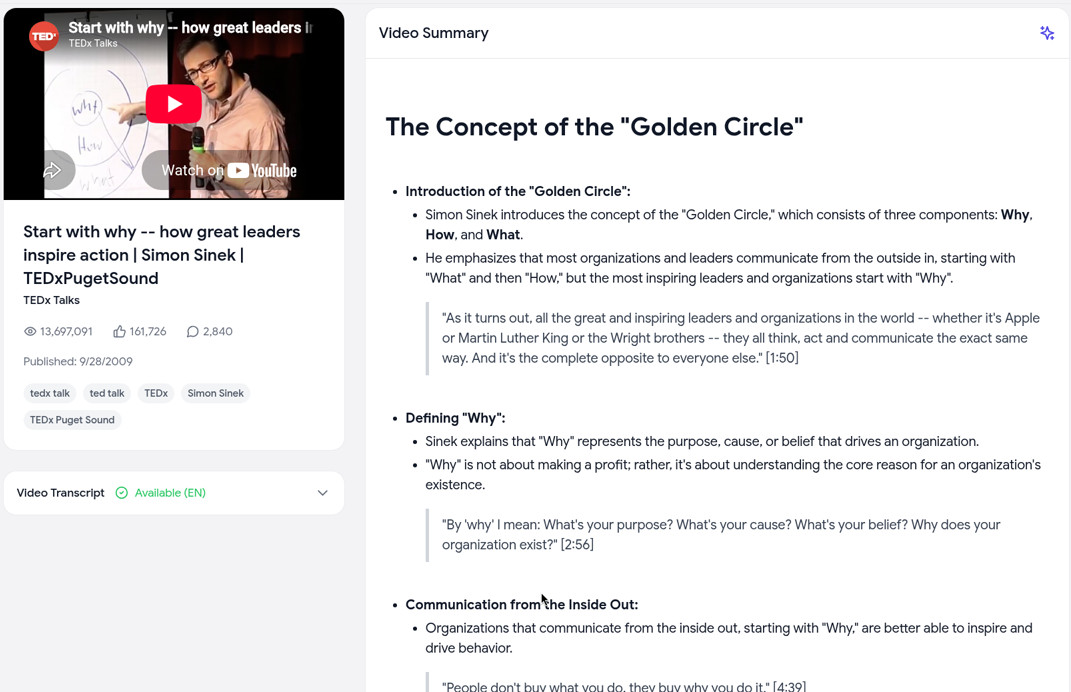
You choose one of five formats:
- Bullet Points: the main ideas, grouped by theme, with exact quotes and their timestamps.
- Executive Summary: a short overview of the key points and takeaways.
- Thematic Analysis: the main themes and how they connect.
- Timestamped Summary: key moments in order, each with its time in the video (the result is headed "Timestamp Navigator Summary").
- Q&A Format: the video turned into questions and answers, handy for studying.
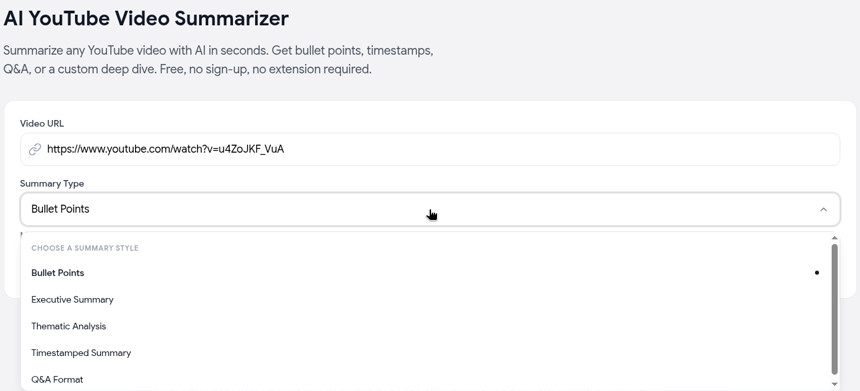
In our tests, the 18-minute TEDx talk took between 5 and 20 seconds depending on the format, and a 2-hour-24-minute podcast took about 9 seconds. The video's transcript is one click away in a panel next to the summary, so you can check any point against what was actually said.
Limits, honestly:
- It works from the video's captions (including YouTube's auto-generated ones). A video with no captions at all can't be summarized.
- Summaries come out in English.
- There's no custom prompt or length setting. For a specific question, use Chat with Video, or grab the transcript and use your own prompt.
- It takes
youtube.com/watchandyoutu.belinks. For a Short, change/shorts/in the link to/watch?v=.
Best for: anyone who wants a quick, structured summary right now without signing up for anything. For a step-by-step walkthrough, see how to summarize a YouTube video.
2. NoteGPT: best for batches and videos without captions
NoteGPT is the best-known name in this space. You can paste a link on its summarizer page, and it also has a browser extension. Beyond summaries, it does mind maps, AI chat, custom prompts and summary length, and translation. It also summarizes articles, PDFs and other video sites.
On October 10, 2026, our first logged-out try produced a full summary with no login or quota prompt:
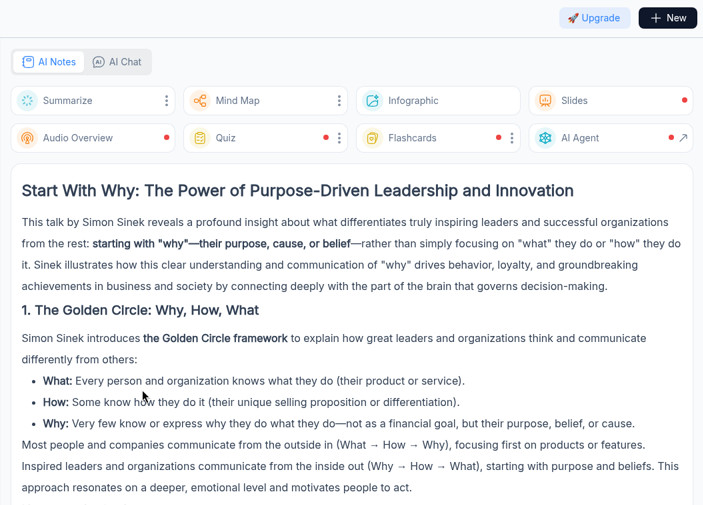
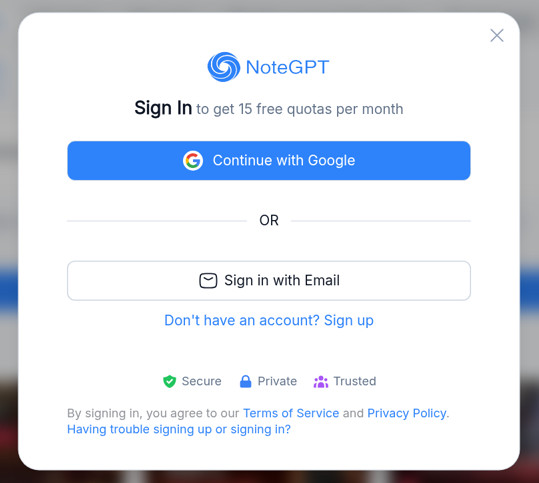
A second logged-out try later that day stopped at a sign-in window instead: "Sign In to get 15 free quotas per month." Expect to make an account after your first summary.
Two features stand out. NoteGPT can summarize videos without subtitles by transcribing the audio, and paid plans can process 5 to 20 YouTube videos at once.
The catch is the quota. Each account gets 15 free quotas a month, shared across every NoteGPT feature. A YouTube summary costs 1 quota per 10,000 words of transcript, which is roughly an hour of talking. Paid plans start at $9.99 a month for Pro, then $29 for Unlimited and $99 for Max, with yearly discounts (pricing).
Best for: heavy users who need caption-less videos, batches, or one app for PDFs and videos. If you only need a quick YouTube summary, see our NoteGPT alternative guide.
3. Glasp YouTube Summary: best free extension
Glasp's YouTube Summary with ChatGPT & Claude extension puts a summary and the full transcript beside the YouTube player, with timestamps you can click. It runs on Chrome, Edge and Firefox. You pick the model (ChatGPT, Claude, Gemini or Mistral), the summary length and language, and can write your own prompt.
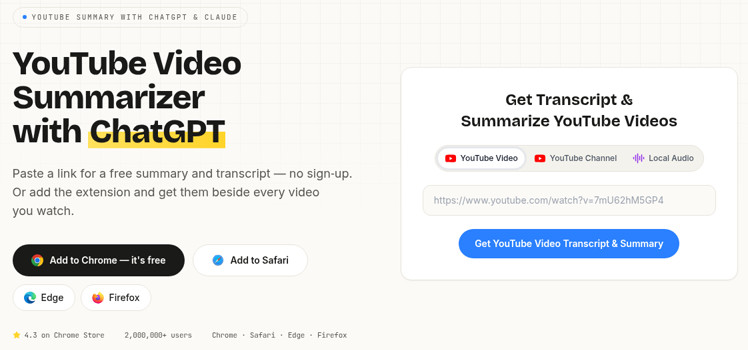
Glasp's website headline promises a free summary and transcript from a pasted link with "no sign-up":
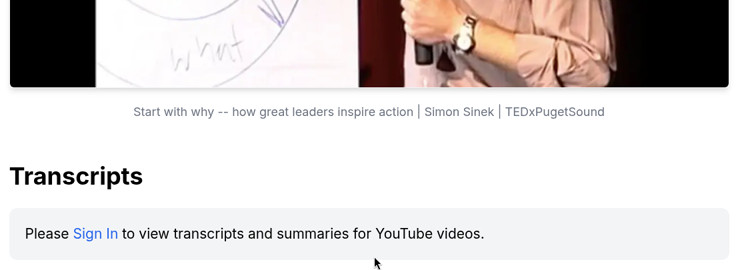
In our logged-out test, though, the paste box opened Glasp's reader page, which said "Please Sign In to view transcripts and summaries for YouTube videos." So on the website, plan on a free account.
In the extension, the free plan has two kinds of summaries. Basic summaries send the transcript to the chatbot you choose in a new tab, 3 a day. On-video summaries written by Glasp are limited to 3 every 7 days. Pro costs $15 a month or $12.50 a month billed yearly (pricing).
Best for: people who summarize while browsing YouTube and want highlights exported to Notion or Obsidian.
4. Eightify: best for summaries inside YouTube on any device
Eightify is a Chrome extension with iPhone and Android apps, so one account works everywhere. It shows key insights with timestamps, an overview of the top comments, and a transcript, in 40+ languages. Its Chrome listing says it handles videos up to 10 hours long.
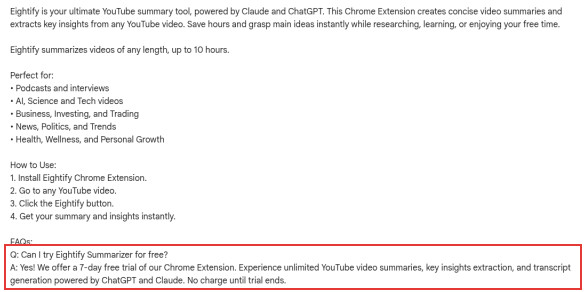
It isn't free to keep using. The Chrome Web Store listing offers a 7-day free trial, charged when the trial ends, and the App Store lists $9.99 a month or $59.99 a year.
Best for: people who'll pay to have a summary waiting under every video, including on their phone.
5. YouLearn: best for studying
YouLearn is an AI study app more than a summarizer. Add a YouTube video and it builds summaries, chapters, flashcards, quizzes and practice exams, and you can chat with it.
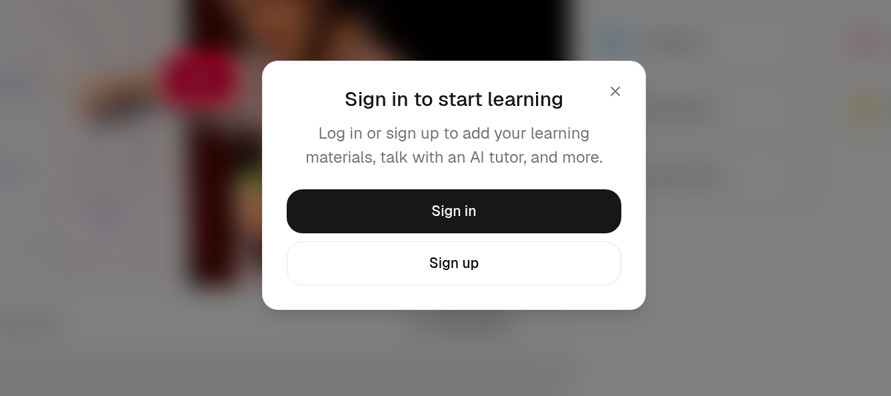
You need an account to see anything. In our logged-out test, YouLearn processed the video, but the summary and chapters stayed blurred behind a "Sign in to start learning" window.
Its terms describe a free plan with 3 uploads or pastes a day (a YouTube link counts) and 5 AI chats a day. Pro costs $20 a month, or $12 a month billed yearly (terms).
Best for: students turning lectures into study material.
6. GitMind: best if you think in mind maps
GitMind's YouTube summarizer is a web tool that can turn a video into a mind map as well as a summary. It says it works on videos without captions and up to 5 hours long.
It worked logged out in our test and took about 45 seconds. The result had a title, an overview and timestamped sections such as "00:00 - 02:22 The Golden Circle Concept", plus Mind Map and Transcript tabs and Copy and Download buttons.
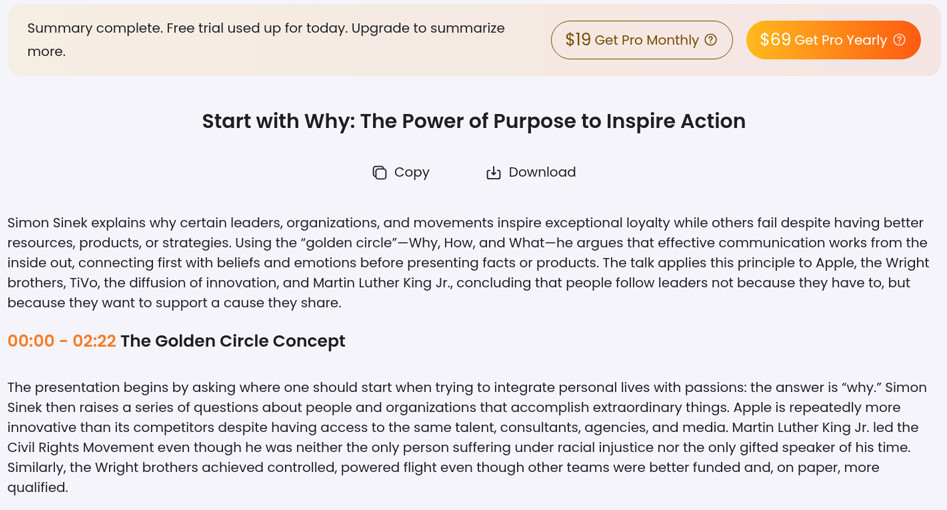
The free tier is tight. While loading, GitMind said free users can analyze only the first 20 minutes of a video, and the finished summary carried a banner: "Free trial used up for today." So it's one summary a day. Its page also allows one free try per device for videos without captions. The banner offered Pro at $19 a month or $69 a year.
Best for: visual learners summarizing the occasional short video.
7. ChatGPT: flexible, but you supply the transcript
ChatGPT is a general chatbot, not a YouTube tool, and OpenAI doesn't document a way for it to watch a YouTube video from a link. The dependable method is to copy the video's transcript (our transcript tool gets it in one click), paste it in, and ask for the summary you want.
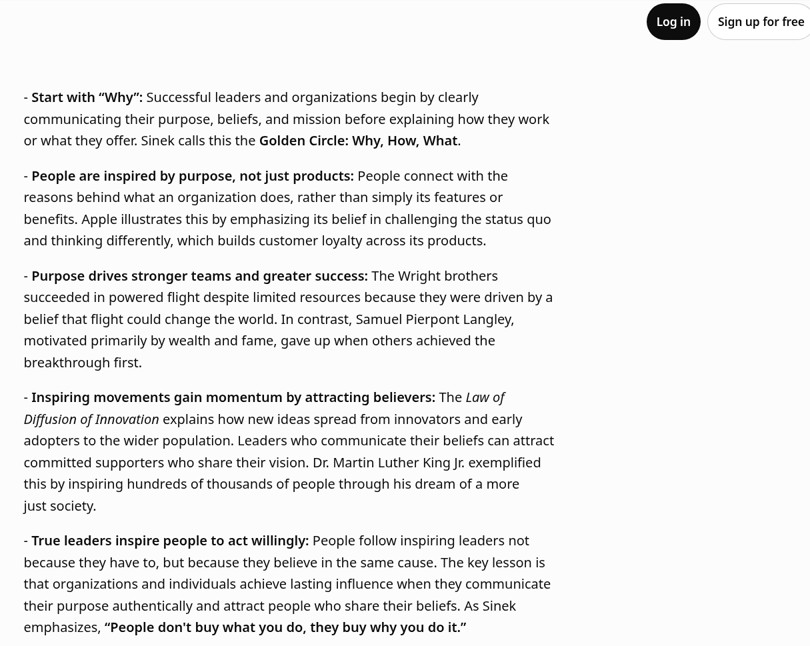
In our logged-out test, ChatGPT accepted the full transcript of the 18-minute talk (about 17,500 characters, copied from our transcript tool) and returned a 5-bullet summary in about 30 seconds.
Watch the length on longer videos. OpenAI lists the free plan's input limit for its fast model at about 12 pages of text (pricing), and an hour of talking is roughly 10,000 words. Long videos may need to go in pieces.
Best for: custom summaries ("only the pricing advice", "as a tweet thread") when you don't mind copying and pasting.
8. Gemini: best if you already live in Google
Google's Gemini can find YouTube videos and answer questions about them, including summarizing them (Gemini Help). Paste a link and ask for a summary.
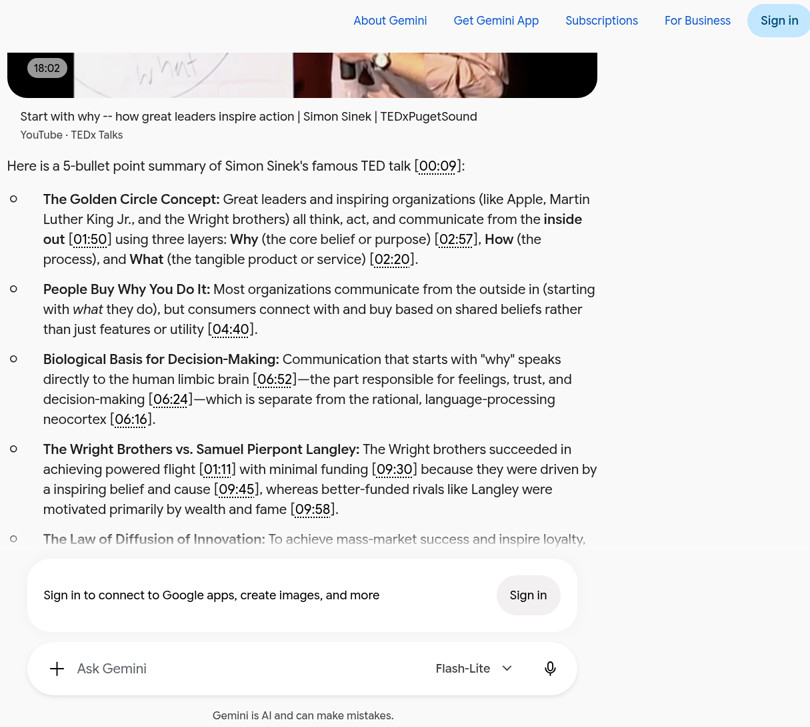
In our test, Gemini did this without signing in. From just the YouTube link, its Flash-Lite model returned a 5-bullet summary in about 25 seconds, with a video card and clickable timestamps. The only nudge was a banner suggesting we sign in to connect Google apps. Google's help pages describe YouTube features in Gemini as tied to a signed-in account with Keep Activity on, so what you get logged out may vary.
Best for: quick summaries plus follow-up questions in a chatbot you already use.
9. YouTube's built-in "Ask": already there, but not a summary
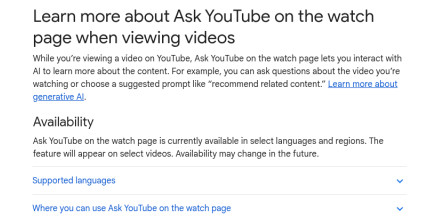
On some videos, YouTube shows an Ask button under the player. You can type a question or pick a suggested prompt, and asking for a summary works. It's free, but only for signed-in users aged 13+, only in some countries and languages, and only on select videos. YouTube also warns that "quality and accuracy may vary" (YouTube Help).
Best for: a quick question about the video you're already watching, when the button is there.
Which AI YouTube summarizer should you use?
- You want a summary now, free, with no account: The YouTube Tool. More free options are in our free YouTube video summarizer guide.
- You want the summary beside the video as you watch: Glasp (free) or Eightify (paid).
- The video has no captions, or you have 20 videos to get through: NoteGPT (paid plans).
- You're studying: YouLearn.
- You want a custom summary, or to ask questions: ChatGPT or Gemini with the transcript, or our Chat with Video.
FAQ
Which AI can summarize a YouTube video? Dedicated tools like The YouTube Tool, NoteGPT, Glasp, Eightify and GitMind all do it from a link. Gemini summarized a YouTube link in our test, even logged out. For ChatGPT, paste the video's transcript.
What is the best free AI YouTube video summarizer? For no sign-up and no quota, use our AI video summarizer. Gemini also worked without an account in our test. For a free browser extension, Glasp has the most generous published free limits, though its website paste box asked us to sign in.
Can AI summarize a YouTube video without captions? Only tools that transcribe the audio themselves can. NoteGPT and GitMind say they do; NoteGPT caps it by plan and GitMind gives one free try per device. Ours, like most caption-based tools, needs captions.
Can AI summarize a long YouTube video? Yes. Ours summarized a podcast over two hours long in about 9 seconds. Eightify says it handles up to 10 hours and GitMind up to 5.
Is there an AI YouTube summarizer that works without an extension? Yes. Our summarizer and GitMind's page both worked in the browser logged out in our test, and so did Gemini with a link. NoteGPT's page worked once, then asked us to sign in. Glasp's and YouLearn's websites needed an account before showing a summary.
Related guides
- How to summarize a YouTube video: step-by-step methods, free.
- Free YouTube video summarizer: the free options and their limits.
- NoteGPT alternative: NoteGPT's limits and a free, no-sign-up option.
- YouTube transcript: get the full text of any video to use with your own AI.