Free AI YouTube Video Summarizer, No Sign-Up (2026)
Quick answer (TL;DR): Paste any YouTube link into our free AI YouTube video summarizer, choose one of five formats and click Get Summary. There's no account, no extension, no trial and no monthly quota. Most other "free" summarizers come with a catch: an account, a monthly quota, a weekly cap or a 7-day trial. The table below shows the catch for each one.
"Free" means very different things on summarizer websites. Some tools are free until you've used up a monthly quota. Some are free for a week, then charge you. Some are free only after you install an extension and create an account. We checked what each popular tool actually gives away, on each vendor's own pricing or help page, on October 10, 2026.
Free YouTube video summarizers: what you really get
| Tool | Account needed? | What's free | The catch |
|---|---|---|---|
| The YouTube Tool | No | Summaries in 5 formats, no quota | Needs captions; summaries in English |
| Glasp YouTube Summary | Yes in our test: its website paste box asked us to sign in, despite a "no sign-up" headline | In the extension, 3 summaries a day sent to a chatbot | Summaries shown beside the video: 3 every 7 days |
| NoteGPT | Our first logged-out try worked; a second try hit a sign-in wall. The monthly quota is per account | 15 quotas a month across all features | 1 quota per 10,000 words of transcript summarized |
| Eightify | Yes | 7-day free trial | Paid after the trial ($9.99/mo in the App Store) |
| Gemini | No: it summarized a YouTube link logged out in our test | Summaries from a YouTube link | Free-plan limits apply; Google's help ties YouTube features to a signed-in account |
| ChatGPT | No (worked logged out in our test, with a full 18-minute transcript) | Summaries of a transcript you paste | Can't fetch the video itself; free-plan limits apply |
| YouTube's Ask | Yes (signed in, 13+) | Ask for a summary on the watch page | Select countries and videos only |
1. The YouTube Tool: free with no sign-up and no quota
Our YouTube video summarizer is a plain web page. There's nothing to install, no login and no counter of summaries left.
- Copy the YouTube video link.
- Paste it into the summarizer.
- Pick a format: Bullet Points, Executive Summary, Thematic Analysis, Timestamped Summary or Q&A Format.
- Click Get Summary.
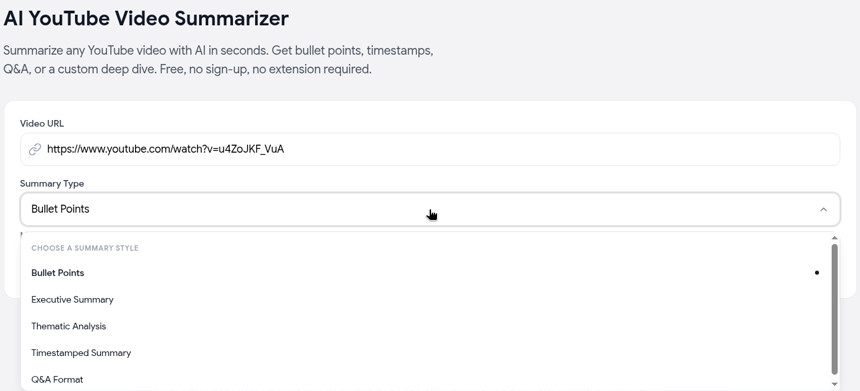
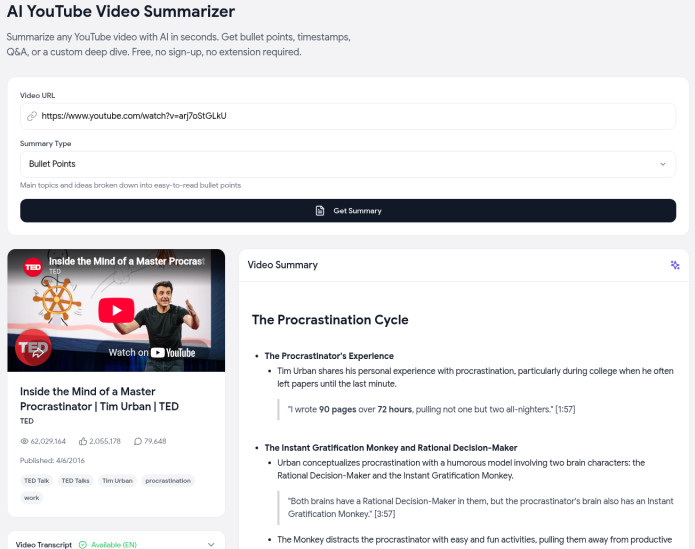
The video's transcript appears next to the summary, so you can check any point against what was actually said. In our tests on October 10, 2026, summaries finished in 4 to 22 seconds, for videos from 19 seconds to 3.5 hours long.
The honest limits: it works from the video's captions (auto-generated captions count), so a video without a transcript can't be summarized. Summaries come out in English, even for non-English videos. There's no custom prompt; for questions about a video, use our free Chat with Video tool. For a full walkthrough, see how to summarize a YouTube video.
2. Glasp: free extension, with weekly limits on its best feature
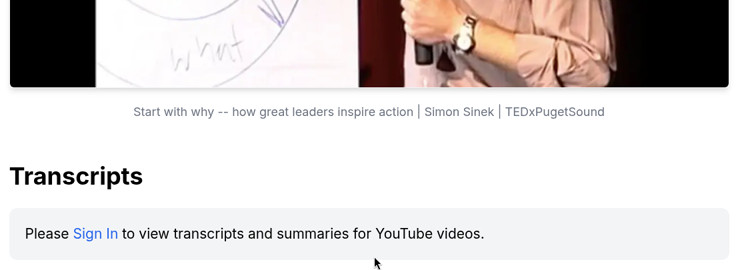
Glasp's YouTube Summary with ChatGPT & Claude is a free extension for Chrome, Edge and Firefox. Its website headline promises a summary and transcript from a pasted link with "no sign‑up". In our logged-out test on October 10, 2026, though, the paste box led to a page that said "Please Sign In to view transcripts and summaries for YouTube videos."
Inside the extension, the free plan has two kinds of summary (Glasp pricing):
- Basic summaries: the extension sends the transcript and your prompt to ChatGPT, Claude or Gemini in a new tab. You get 3 a day.
- Summaries beside the video, written by Glasp and saved to your account: 3 every 7 days, shared with article and PDF summaries.
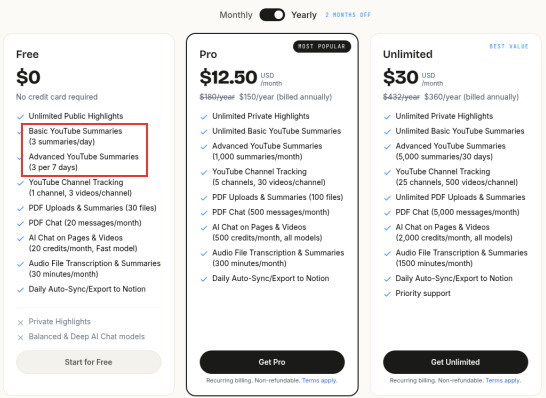
Chat needs a free Glasp account and includes 20 credits a month. Pro costs $15 a month, or $12.50 a month billed yearly ($150 a year).
Free in practice: good for a few videos a week, or unlimited if you're happy to finish the summary in your own chatbot.
3. NoteGPT: a free first try, then a monthly quota
NoteGPT's summarizer page says "No Login". On October 10, 2026, our first logged-out try produced a full summary with no login or quota prompt, but a second try later that day stopped at a sign-in window: "Sign In to get 15 free quotas per month." For ongoing use, though, its free plan is built on a per-account quota: 15 quotas a month, shared across every NoteGPT feature (NoteGPT Help).
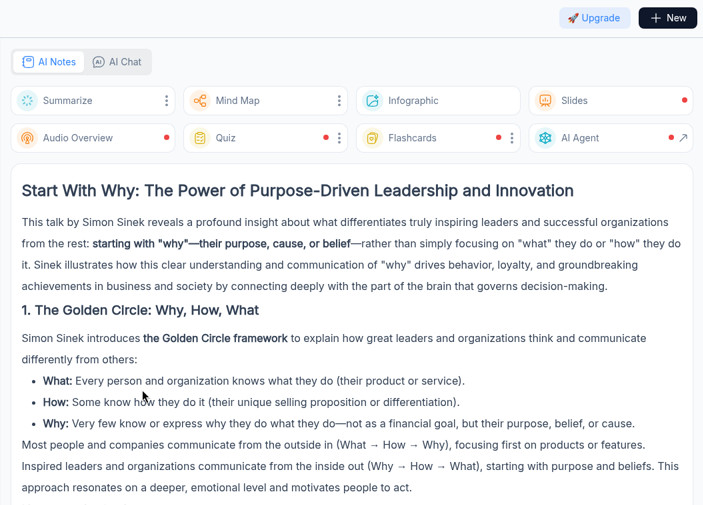
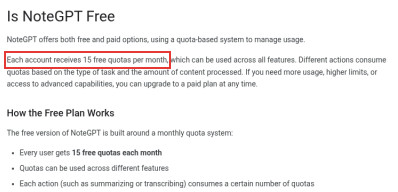
A YouTube summary costs 1 quota per 10,000 words of transcript, and fetching a transcript costs a quota too (quota policy). In our tests, an hour of talking came to roughly 10,000 words. Paid plans start at $9.99 a month (pricing).
Free in practice: enough for a handful of videos a month. It's worth paying for if you need its extras, like summarizing videos without captions or batches of videos. See our NoteGPT alternative guide for the full breakdown.
4. Eightify: a free trial, not a free plan
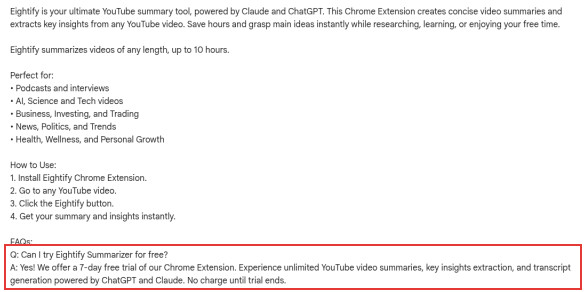
Eightify's Chrome extension offers a 7-day free trial with unlimited summaries, and it says there's "no charge until trial ends" (Chrome Web Store). After that it's a subscription; the App Store lists $9.99 a month or $59.99 a year.
Free in practice: one week. Set a reminder to cancel if you're only testing it.
5. Gemini and ChatGPT: free chatbots, with some setup
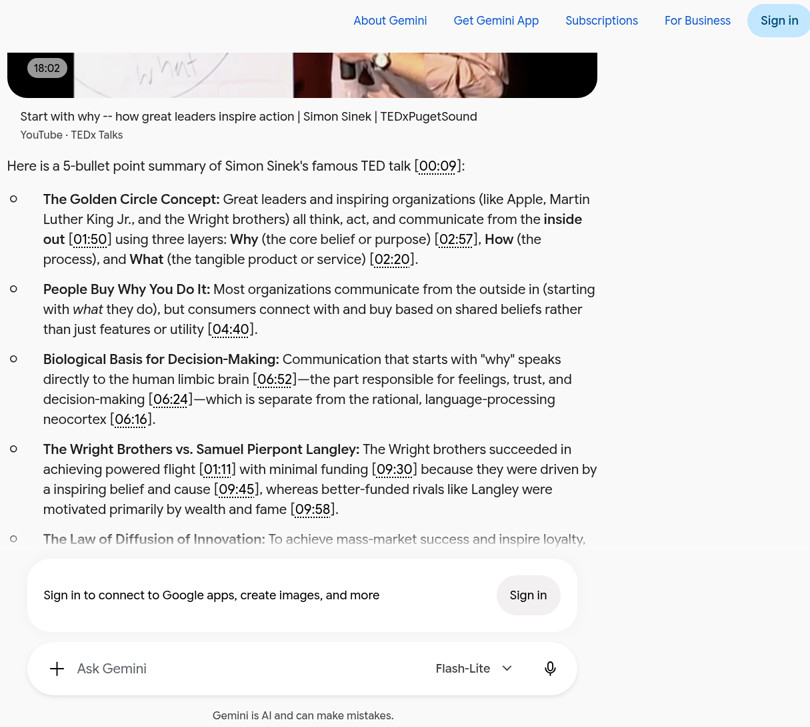
- Gemini can summarize a public YouTube video from a link on its free plan (Gemini Help). In our test it worked without signing in: from just the link, its Flash-Lite model returned a 5-bullet summary with clickable timestamps in about 25 seconds. Google's help pages tie YouTube features to a signed-in account with Keep Activity on, so results logged out may vary.
- ChatGPT's free version is open to everyone (OpenAI), but it doesn't document a way to watch a YouTube video from a link. Paste the video's transcript instead, and it'll summarize it any way you ask. Logged out, it accepted the full transcript of an 18-minute talk in our test.
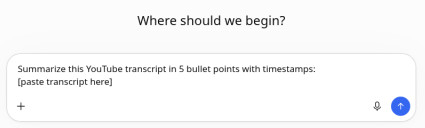
Free in practice: the most flexible option if you want a custom summary, as long as you don't mind the extra copy-paste step. Free-plan usage limits apply on both.
6. YouTube's Ask button: free, if you have it
On some videos, YouTube shows an Ask button below the player. You can ask it to summarize the video. It's free, but only for signed-in users aged 13 and over, in select countries and languages, and only on select videos (YouTube Help). On October 10, 2026, YouTube's country list didn't include most of the EU or Australia.
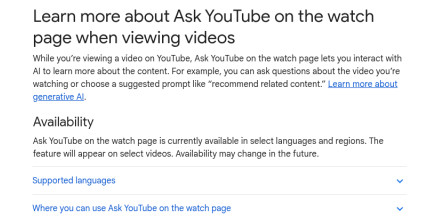
Free in practice: handy when it shows up, but you can't count on it. (If you'd rather it didn't show up at all, here's how to turn off YouTube's AI summary.)
How to tell if a "free" summarizer is really free
Before you paste a link anywhere, check these five things:
- Is there an account wall? If it asks you to sign up before the first summary, the free tier is usually a quota.
- What's the unit? "15 free credits" means little until you know what one summary costs. NoteGPT charges by transcript length, for example.
- Is it a trial? "Free" on an extension listing often means 7 days, then a subscription.
- Does it ask for a card? A free plan shouldn't need one.
- Who does the summarizing? Some free extensions just send the transcript to ChatGPT in a new tab. That's fine, but then the limits are ChatGPT's.
FAQ
Is there a YouTube video summarizer that's completely free? Yes. Our AI YouTube video summarizer is free, with no account and no quota. Gemini with a YouTube link and ChatGPT with a pasted transcript also worked free and logged out in our test.
Is there a free YouTube summarizer with no sign-up? Yes. Ours needs no sign-up. In our test, Gemini also summarized a YouTube link logged out, and ChatGPT summarized a pasted transcript logged out. Glasp's website paste box, despite its "no sign-up" headline, asked us to sign in.
Is NoteGPT free? Partly. Our first summary worked logged out with no quota prompt, but a second try asked us to sign in, and each account gets 15 quotas a month across all features, and a YouTube summary costs 1 quota per 10,000 words of transcript. After that, you wait for next month or pay from $9.99 a month.
Can I summarize long YouTube videos for free? Yes. Our summarizer finished a 3.5-hour lecture in 16 seconds in our tests. With quota-based tools, long videos cost more of your free allowance.
Do free summarizers work on videos without captions? Usually not. Free tools, ours included, summarize the video's transcript. Transcribing audio from scratch costs money to run, so tools that do it, like NoteGPT, limit it by plan.
Which free summarizer is best? It depends on what you need. Ours is quickest with no setup, Glasp is best if you want a summary beside the video, and ChatGPT or Gemini are best for a custom summary. For a full comparison, see the best AI YouTube video summarizers.
Related guides
- How to summarize a YouTube video: three free methods, step by step.
- Best AI YouTube video summarizers: nine tools compared on features, limits and price.
- NoteGPT alternative: NoteGPT's limits and a no-sign-up option.
- YouTube transcript tool: get the full text of any video to use with your own AI.