NoteGPT Alternative: Free YouTube Summarizer, No Sign-Up
Quick answer (TL;DR): NoteGPT's YouTube summarizer gave us one free summary logged out, then asked us to sign in. Its free plan is 15 quotas a month per account, shared with every other NoteGPT feature, and paid plans start at $9.99 a month. If you just want a YouTube summary, our AI YouTube video summarizer is free with no sign-up, no extension and no quota: paste the link, pick one of five formats, and click Get Summary. NoteGPT is still the better pick for videos without captions or batches of videos.
NoteGPT is one of the most popular AI summarizers, and its YouTube tool is a common first stop. But it's an all-in-one AI workspace, and its free plan reflects that: one small monthly quota covers summaries, chat, mind maps, transcription and more. If you came for YouTube summaries, here's what you actually get and what to use instead.
What NoteGPT's YouTube summarizer does
You paste a YouTube link into the NoteGPT YouTube Video Summarizer and click Generate Summary. It fetches the transcript and summarizes it. It's also available as a browser extension.
On October 10, 2026, our first logged-out try worked: we got a full summary with the transcript beside it, plus buttons for a mind map, quiz, flashcards and slides. There was no login or quota prompt, just an Upgrade button. A second logged-out try later that day hit a sign-in wall (more below).
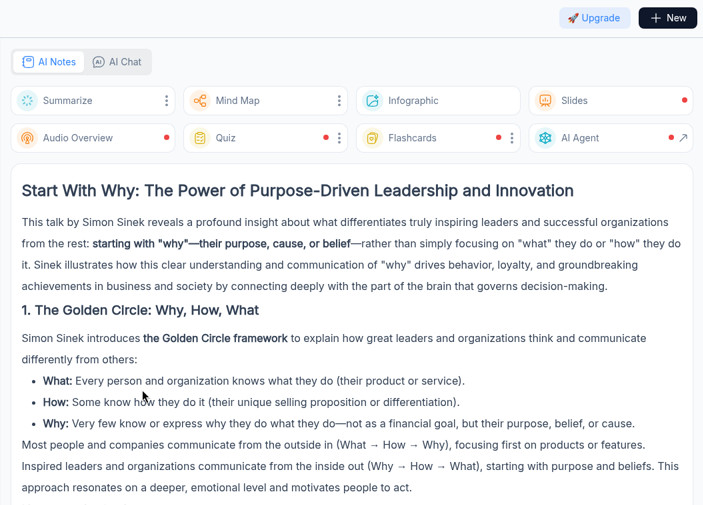
According to NoteGPT's own pages, it can:
- Summarize videos without subtitles by transcribing the audio, for videos up to 150 minutes.
- Batch summarize several YouTube videos at once on paid plans: 5 on Pro, 10 on Unlimited and 20 on Max.
- Customize the summary length and use your own prompt.
- Make mind maps, chat with the video, and translate transcripts and summaries.
- Summarize and transcribe in over 40 languages.
- Summarize other content too: PDFs, articles, audio, and videos from Vimeo, Udemy and Coursera.
That's a lot, and if you use most of it, NoteGPT earns its price.
Is NoteGPT free? Its limits and pricing
Partly. NoteGPT's help center says every account gets 15 free quotas a month, shared across all features, and that when they run out you wait for next month or upgrade (NoteGPT Help).
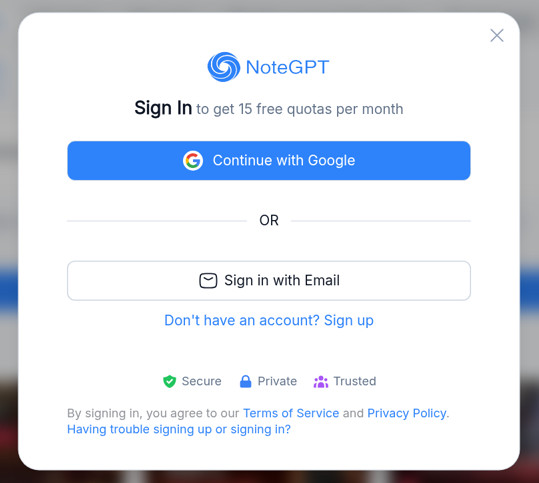
You'll need that account sooner than you might think. On our second logged-out try, after about 20 seconds NoteGPT showed a sign-in window instead of a summary: "Sign In to get 15 free quotas per month."
What a quota buys depends on the feature (quota policy):
| NoteGPT action | Cost |
|---|---|
| Summarize a YouTube video | 1 quota per 10,000 words of transcript |
| Chat with a video | 1 quota per chat message |
| Mind map | 1 quota each |
| YouTube transcript without subtitles | 1 quota per 10 minutes |
An hour of talking is roughly 10,000 words (a 2-hour-24-minute podcast we tested had about 24,000). So 15 quotas cover roughly 15 hour-long summaries a month, and only if you don't chat, make mind maps or use anything else.
Paid plans, from NoteGPT's pricing page on October 10, 2026:
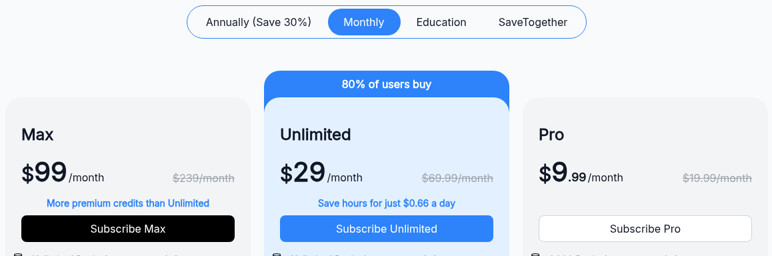
| Plan | Billed monthly | Billed yearly | YouTube highlights |
|---|---|---|---|
| Pro | $9.99/mo | $108/yr (about $9/mo) | 1,000 quotas a month, 5 videos at once, no-subtitle videos up to 120 min |
| Unlimited | $29/mo | $239/yr (about $19.92/mo) | Unlimited summaries, 10 videos at once, no-subtitle videos up to 210 min |
| Max | $99/mo | $829/yr (about $69/mo) | Unlimited summaries, 20 videos at once, no-subtitle videos up to 210 min |
Refunds are only available within 24 hours of a first purchase, and plans renew automatically.
The free alternative: The YouTube Tool's AI summarizer
Our AI YouTube video summarizer does one job: turn a YouTube video into a structured summary. It's free, with no account, no extension and no monthly counter.
- Copy the video link (a
youtube.com/watchoryoutu.belink). - Paste it into the summarizer and choose a Summary Type.
- Click Get Summary. The summary streams in within seconds, with the video's transcript in a panel beside it so you can check any point.
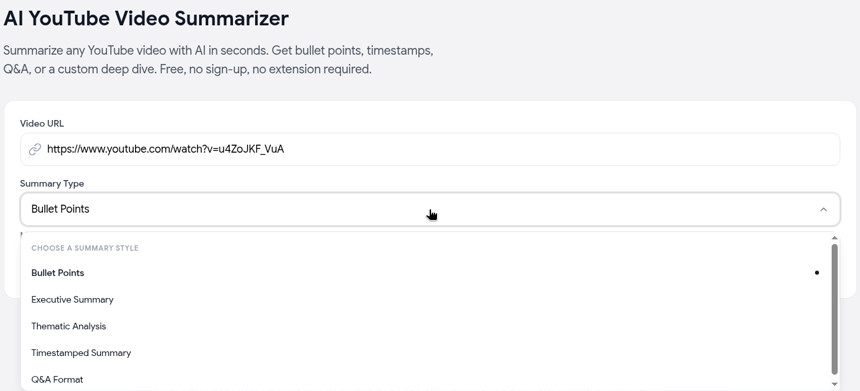
You get five formats instead of one:
- Bullet Points, grouped by theme, with exact quotes and timestamps
- Executive Summary, a short overview of the key takeaways
- Thematic Analysis of the main themes and how they connect
- Timestamped Summary of key moments in order (headed "Timestamp Navigator Summary")
- Q&A Format, good for study notes
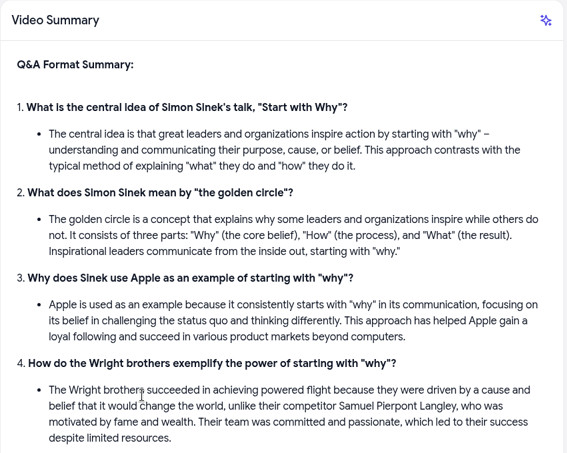
In our tests, an 18-minute TEDx talk took about 5 seconds and a 2-hour-24-minute podcast about 9 seconds.
Need something the formats don't cover? Ask the video directly with Chat with Video, or copy the full transcript into your own AI tool.
NoteGPT vs The YouTube Tool
| NoteGPT | The YouTube Tool | |
|---|---|---|
| Price for YouTube summaries | 15 free quotas a month, then from $9.99/mo | Free |
| Account | First try worked logged out; a second try required signing in. The free quota is per account | Not needed |
| Install | Website or browser extension | Website only |
| Summary formats | One summary, with custom prompt and length | 5 fixed formats |
| Videos without captions | Yes (up to 120 to 210 min on paid plans) | No, needs captions |
| Batch summaries | 5 to 20 at once on paid plans | One at a time |
| Summary language | 40+ languages | English |
| Extras | Mind maps, chat, translation, PDFs, other video sites | Chat with Video, transcripts and other free YouTube tools |
When NoteGPT is the better pick
Be honest with yourself about what you need. NoteGPT wins when:
- The video has no captions. Ours works from captions; NoteGPT can transcribe the audio.
- You summarize in bulk. Processing 5 to 20 videos at once saves real time.
- You want summaries in another language, or translated transcripts.
- You want one tool for everything: PDFs, lectures, Udemy courses and mind maps alongside YouTube.
- You need full control over the prompt and length of each summary.
If none of those apply and you mainly want to know what a video says before you spend an hour on it, the free tool is enough.
Other NoteGPT alternatives
- Glasp YouTube Summary: a free extension that shows a timestamped summary beside the video. Free on-video summaries are limited to 3 a week, and its website's paste box asked us to sign in.
- Gemini: paste a YouTube link and ask for a summary. It worked without signing in in our test.
- Eightify: a paid extension and app with summaries under every video.
We compare all of them, with free limits and prices, in the best AI YouTube video summarizers.
FAQ
Is NoteGPT free? Partly. Each account gets 15 free quotas a month across all features. A YouTube summary costs 1 quota per 10,000 words of transcript, and paid plans start at $9.99 a month.
Do I need an account to use NoteGPT? Usually, yes. Our first logged-out try produced a full summary, but a second try the same day stopped at a sign-in window. Its free plan of 15 quotas a month is tied to an account. Our summarizer never asks you to sign up.
Can NoteGPT summarize YouTube videos without subtitles? Yes, up to 150 minutes according to its summarizer page, and up to 120 or 210 minutes depending on the paid plan. It costs 1 quota per 10 minutes to transcribe.
Is there a NoteGPT extension? Yes, NoteGPT offers a browser extension. Ours is a website, so there's nothing to install.
How do I summarize a YouTube Short without NoteGPT?
Copy the Short's link, change /shorts/ to /watch?v=, and paste it into our summarizer.
Related guides
- Best AI YouTube video summarizers: 9 tools compared.
- Free YouTube video summarizer: every free option and its limits.
- How to summarize a YouTube video: step-by-step methods.