Best LinkedIn Video Downloaders (2026): 8 Free Tools Tested
Quick answer (TL;DR): We pasted the same public LinkedIn video post into 8 free downloaders on October 10, 2026. Three handed back a file we could check: The YouTube Tool (1280×720 MP4, no sign-up, no ads, no daily cap), ContentStudio (1138×640, with a sign-up pop-up and a hidden download limit), and Expertsphp (1138×640, behind display ads). Taplio, Reepl, and Publer all found the video in a normal browser and offered it for download, but we didn't check their files; Taplio also caps you at 3 a day and wraps it in a paid-app upsell. SuperPen put a sign-up wall in front of the file, and KeepOffline failed on our post.
Every LinkedIn video downloader says the same three things: free, HD, no watermark. The only way to tell them apart is to run them. So we did.
If you just want the steps for your phone or computer, read how to download a LinkedIn video. This page is for choosing a tool.
How we tested
- One post for every tool: a public LinkedIn post with an 82-second native video, tested on October 10, 2026.
- Same setup: desktop Google Chrome, signed out of LinkedIn, no accounts on any of the tools.
- What we recorded: whether a file came back, its resolution and audio (checked with
ffprobe), the free limits each page states, sign-up prompts, and display ads on the page. - What we checked against: LinkedIn's public player offered two versions of this video, a 720p file (1280×720) and a 640p file (1138×640). We downloaded both straight from LinkedIn and compared them byte for byte with what each tool returned.
We used an automated browser for most test runs and re-ran Taplio, Reepl, and Publer in a normal desktop browser. Reepl and Publer had stopped the automated browser at a "Verify you are human" check; in the normal browser both returned the video. We didn't save their files, so their quality is marked as not verified.
LinkedIn video downloaders compared
| Tool | Free limit | Sign-up | Display ads | Quality we got | Our test result |
|---|---|---|---|---|---|
| The YouTube Tool | No daily cap | No | None | 1280×720 MP4 with sound | ✅ Downloaded automatically, identical to LinkedIn's 720p file |
| Taplio | 3 a day (per its page) | No | None seen | Not verified | ⚠️ Showed the video preview in about 15 seconds, next to a locked AI-caption upsell; we didn't check the file |
| Reepl | 5 a day without an account | No | None seen | Not verified | ✅ Returned a playable video (0:00 / 1:22) in a normal browser; you save it from the player's ⋮ menu. We didn't check the file |
| Publer | No stated limit, one job at a time | No | None seen | Not verified | ✅ Returned the video with Save to your device and Post to your socials options in a normal browser. We didn't check the file |
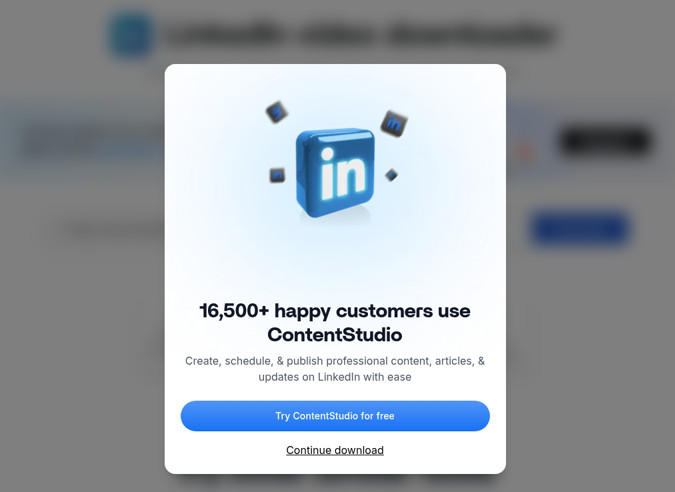
| ContentStudio | Says unlimited; its server reported 2 downloads left after our first | No | None seen | 1138×640 MP4 with sound | ✅ Downloaded after a "Try ContentStudio for free" pop-up |
| Expertsphp | None stated | No | Yes | 1138×640 MP4 with sound | ✅ Gave a direct link to LinkedIn's 640p file |
| SuperPen | 3 downloads, then sign-up | Yes, after 3 | None seen | None | ❌ Showed "You've reached your free limit of 3 downloads" on our first try |
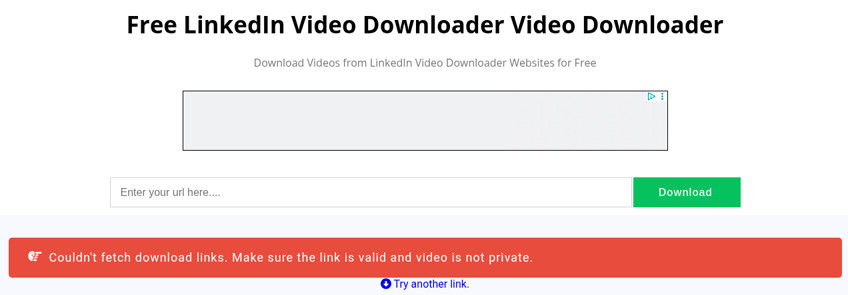
| KeepOffline | None stated | No | Yes | None | ❌ "Couldn't fetch download links" on a public post |
All eight are websites you use in the browser. None needed an extension or an app.
None of the files we got had a watermark. The three downloads we checked were byte-for-byte copies of the files LinkedIn itself serves, so nothing was added or re-compressed.
1. The YouTube Tool: best for no limits and the highest quality available
Paste the post link into our LinkedIn video downloader and click Download Video. It finds the video in the post's public page and picks the highest-quality MP4 LinkedIn offers for it. The download starts on its own, and a preview of the post appears so you can check it's the right video.
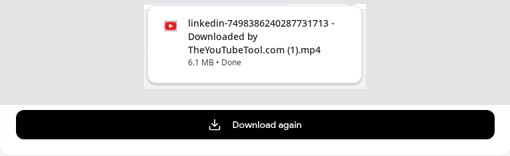
- What we got: a 1280×720 MP4 with sound within seconds, identical to LinkedIn's 720p file. It was the only tool in the test that returned the 720p version.
- Cost and limits: free, with no account, no daily cap, and no ads.
- Limits: there's no quality picker and no audio-only option. You get one MP4 at the best quality LinkedIn's public player serves. It only works on public posts with a video uploaded to LinkedIn.
The best quality depends on the post. On another post we tested, the best version LinkedIn had was 640×360, so no downloader could have given us HD.
2. Taplio: free, but capped at 3 a day
Taplio is a paid LinkedIn growth platform (plans start at $39 a month, or $32 billed yearly), and the downloader is one of its free tools. Its page says you get the MP4 "LinkedIn streams for that post" with sound and no watermark, with no Taplio account or LinkedIn login needed.
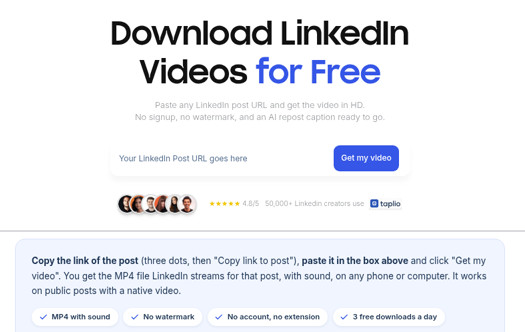
- Free limit: the page says 3 free downloads a day, resetting every 24 hours. An older Taplio help-center article says 5; we'd plan on 3.
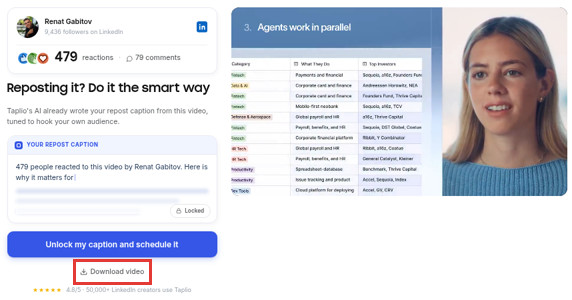
- Our test: in a normal desktop browser, Get my video returned the post card and a playing preview in about 15 seconds. (In our automated browser it returned nothing.)
- Upsells: the preview sits next to "Reposting it? Do it the smart way", a locked AI repost caption, and a big Unlock my caption and schedule it button. The actual Download video is a small link underneath. We didn't click it, so we haven't checked the file or its quality.
If you've hit Taplio's daily cap, see our Taplio LinkedIn video downloader alternative.
3. Reepl: 5 a day, with a quality picker (on paper)
Reepl is another LinkedIn content platform with a free downloader. Its page says it pulls "the source file LinkedIn uploaded" and lets you "pick your quality".
- Free limit: 5 videos a day without an account.
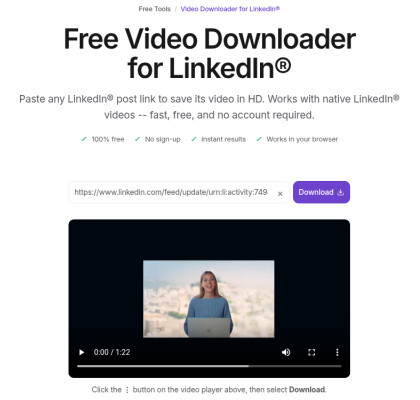
- Our test: in a normal desktop browser, it loaded our post's video into a player (0:00 / 1:22) with the note "Click the ⋮ button on the video player above, then select Download." So you save the file from the browser's own video menu. (Our automated browser had stopped at a "Verify you are human" check.)
- Not verified: we didn't save the file, so we haven't checked its resolution, and we didn't see a quality picker on the result.
4. Publer: no stated limit, many networks
Publer's free downloader says "No ads. No watermarks. No registration." It handles posts from several social networks, not just LinkedIn, and says there's no download limit as long as you run one job at a time.
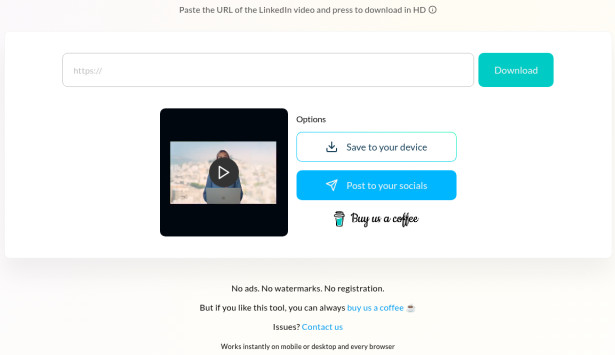
- Our test: in a normal desktop browser, it returned a thumbnail of our post's video with two options: Save to your device and Post to your socials. The page also says "No ads. No watermarks. No registration." (Our automated browser had stopped at a "Verify you are human" check.)
- Not verified: we didn't save the file, so its resolution is unconfirmed.
5. ContentStudio: works, but not as unlimited as it says
ContentStudio's downloader page promises unlimited, free downloads without a watermark.
- What we got: a 1138×640 MP4 with sound named
ContentStudio_video.mp4. That's LinkedIn's 640p version, not the 720p one. - Catches: clicking Download opened a "Try ContentStudio for free" pop-up first; the download only started after Continue download. And after our first download, ContentStudio's server answered with
"remainingLimit": 2, so there is a cap, even though the page says "Unlimited downloads".
6. Expertsphp: works, but it's an ad-supported page
Expertsphp is a plain downloader site with Google display ads around the form. Its title promises "4K & HD".
- What we got: a Download Video File link pointing straight at LinkedIn's 640p file (1138×640, with sound), plus a link to the video's thumbnail. That's below the 720p version LinkedIn also had, and nowhere near 4K.
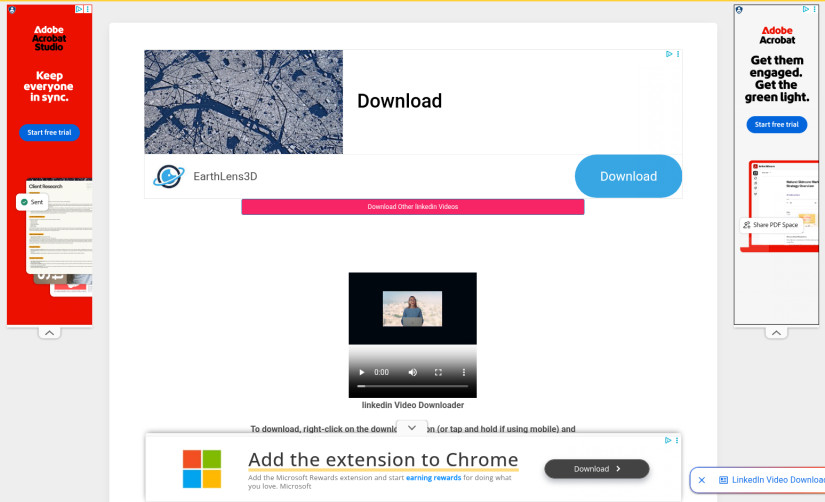
- Catch: the link opens LinkedIn's file in the browser, so on desktop you may need to right-click and choose Save video as…. The result page is crowded with ads: ours showed Adobe, EarthLens and Microsoft banners around the small player.
7. SuperPen: 3 downloads, then sign up
SuperPen is a LinkedIn writing tool with a free downloader that says videos take "less than 5 seconds".
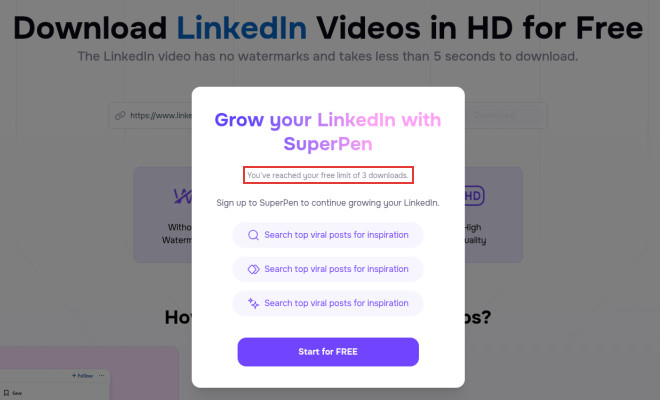
- Our test: on our first attempt in a fresh browser, it showed "You've reached your free limit of 3 downloads" and asked us to sign up. We didn't get a file. The limit may be counted per network rather than per browser, so your experience may differ, but the cap itself is real.
8. KeepOffline: failed on our post
KeepOffline is a multi-site downloader with display ads above and below the input box. Its page says you can pick formats including MP4 and MP3.
- Our test: it returned "Couldn't fetch download links. Make sure the link is valid and video is not private." The post was public and worked in three other tools.
Which LinkedIn video downloader should you use?
- You want the file now, with no account and no cap: use The YouTube Tool. It gave us the best version LinkedIn had.
- You already pay for Taplio, Reepl, or Publer: their free downloaders are fine for a few videos a day. Reepl and Publer both returned our video in a normal browser, though they may ask you to prove you're human first.
- You want to repost the video with an AI-written caption and scheduling: that's what Taplio and Reepl are really selling. The downloader is their way in.
- Avoid: pages that hide the form between ads, promise "4K" for a platform that doesn't serve it, or ask for your LinkedIn password. A downloader only needs the post link.
FAQ
Can any tool download LinkedIn videos in 1080p or 4K? Only if LinkedIn serves that version. A downloader copies a file LinkedIn already has; it can't add resolution. In our test, the best LinkedIn offered was 720p, and two tools gave us its 640p version instead.
Is there a LinkedIn video downloader for Chrome? You don't need one. All eight tools here run on a normal web page in Chrome, Safari, or any other browser, on desktop or mobile.
Why did a downloader say my video is private? Most tools can only see what a signed-out visitor sees. Posts shared with connections only, deleted posts, and YouTube links shared in a post won't download. If the post is public and one tool fails, try another, as KeepOffline showed in our test.
Which free LinkedIn downloader has no daily limit? The YouTube Tool has none. Expertsphp states none, but it's ad-supported and gave us the lower-quality file. Publer states none but runs one job at a time. Taplio, Reepl, and SuperPen publish caps, and ContentStudio counted our downloads even though its page says "unlimited".
Related guides
- How to download a LinkedIn video: step-by-step on iPhone, Android, Windows, and Mac.
- Taplio LinkedIn video downloader alternative: what to use when Taplio's daily limit runs out.
- How to save a LinkedIn video: LinkedIn's Save button versus saving the file.