YouTube Music Downloader: Save Songs as MP3 (Free)
Quick answer: To download a song from YouTube Music, copy its link (it looks like
music.youtube.com/watch?v=...), paste it into our free YouTube to MP3 downloader, click Get MP3 download, choose MP3 at 128, 192 or 320 kbps, and click Download MP3. In our test, a music video'smusic.youtube.comlink saved as a 192 kbps MP3 in about 80 seconds. One catch right now: auto-generated "Topic" songs (audio-only tracks that show just the cover art) can fail on MP3, so pick M4A (Fast) for those. It works one song at a time. The official alternative is YouTube Music Premium, which saves music for offline listening inside the app.
YouTube Music is built on the same videos as YouTube. Every song has a YouTube video ID behind it, even the audio-only tracks that show just the album cover. That's why a YouTube downloader can save songs from music.youtube.com, as long as you give it the right kind of link.
How do you download a song from YouTube Music?
Here's the flow that worked in our test, saving the music video at music.youtube.com/watch?v=dQw4w9WgXcQ as an MP3:
-
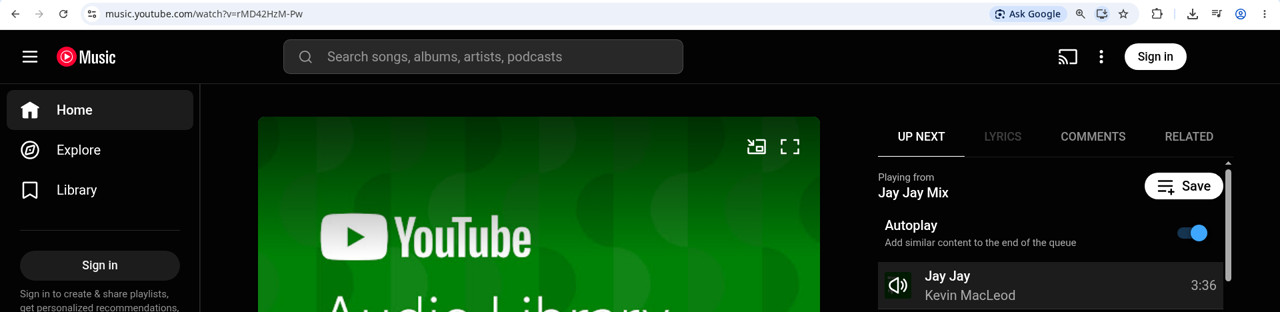
Copy the song link.
- On music.youtube.com: play the song and copy the address from the address bar. It looks like
music.youtube.com/watch?v=.... - In the YouTube Music app: tap the ⋮ menu next to the song (or on the player), tap Share, then Copy link.
- On music.youtube.com: play the song and copy the address from the address bar. It looks like
-
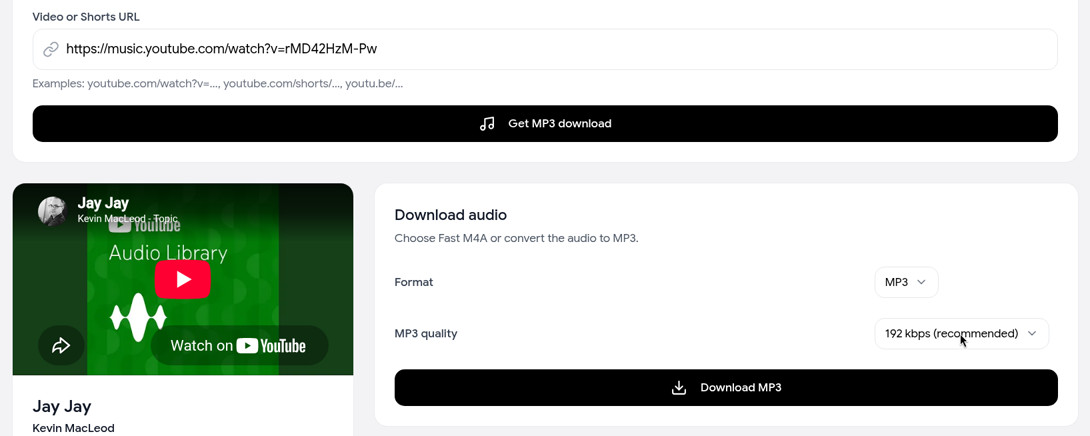
Paste it into the YouTube to MP3 downloader and click Get MP3 download. The song's title and cover load, so you can check you've got the right track.
-
Pick MP3 and a quality. 192 kbps (recommended) is the safe default; 128 and 320 kbps are the other options.
-
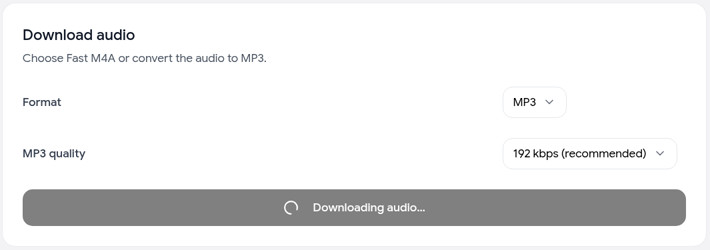
Click Download MP3 and wait. The button shows progress while the audio downloads and converts. Keep the tab open.
-
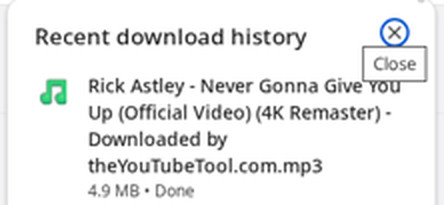
Find the MP3 in your Downloads folder. It's named after the song's YouTube title. Ours took about 80 seconds and came out at 4.9 MB for a 3.5-minute song.
Links with extra bits on the end, like &list=... or &si=..., still work. The tool picks out the song's ID and ignores the rest.
What if the MP3 fails on a song?
Right now, MP3 conversion can fail on auto-generated "Topic" songs. These are the audio-only tracks YouTube creates for releases, shown with just the cover art and posted under a channel named "Artist - Topic". In our tests, two of these loaded fine but stopped after about 30 seconds with this message:
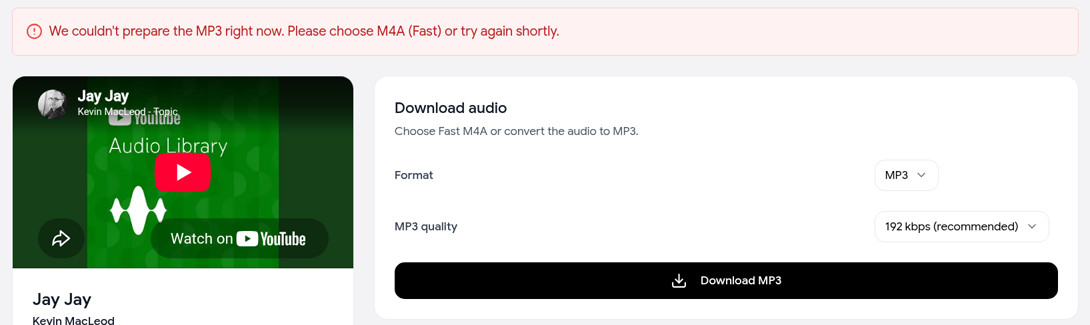
Use M4A (Fast) for those songs:
- Switch Format to M4A (Fast) and click Download M4A.
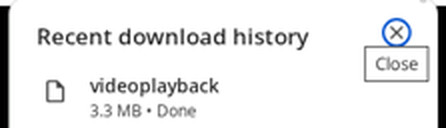
- The audio opens in a new browser tab, straight from YouTube's servers. Open the player's ⋮ menu and choose Download.
- The file may save as videoplayback, with no extension. Rename it to end in .m4a (for example
jay-jay.m4a), and it plays in any music app.
Music videos and regular uploads, like the one in the steps above, converted to MP3 fine in our test.
Which links work, and which don't?
| Link | Works? |
|---|---|
A song or music video: music.youtube.com/watch?v=... | Yes (auto-generated "Topic" songs: use M4A) |
| A song shared from the app (copied with Share → Copy link) | Yes, if it contains watch?v= |
A music video on youtube.com or youtu.be | Yes |
An album or playlist: music.youtube.com/playlist?list=... | No |
An artist or album page: music.youtube.com/browse/... | No |
To save several songs from an album, open each song and download it one at a time.
MP3 or M4A: which should you pick for music?
- MP3 192 kbps is the safe default. It plays in every music app, car stereo and old MP3 player, and it's what the tool recommends.
- MP3 320 kbps makes a bigger file. Pick it if the song will be compressed again later, for example uploaded into another app.
- M4A (Fast) is the audio YouTube itself plays, saved as-is. In our tests that was AAC at about 128 kbps. It needs no conversion and keeps exactly what you hear on YouTube, and it's the option that works for "Topic" songs right now. It opens in a new tab, and you may need to add .m4a to the file name. It plays in Apple Music, iTunes and most modern players.
No format can sound better than YouTube's own audio, so 320 kbps won't add detail that isn't there. For a full breakdown by use case, see the YouTube audio downloader guide. For more on MP3 bitrates, see YouTube to MP3.
Song tags: the file is named after the song's YouTube title. Don't expect artist, album or cover-art tags to be filled in. Add them in your music app if you want your library tidy.
What about YouTube Music Premium downloads?
YouTube Music Premium is the official way to listen offline. With a membership, you can download songs, albums, playlists and podcast episodes to your phone. Open the ⋮ menu and choose Download, or tap the download arrow on an album or playlist page (YouTube Music Help). Smart downloads can also fill your phone automatically based on what you listen to (YouTube Music Help).
The catch is that those downloads stay inside the YouTube Music app. You have to reconnect to the internet at least once every 30 days to keep them, and some songs can drop out if they're changed or restricted (YouTube Music Help).
| Our downloader | YouTube Music Premium | |
|---|---|---|
| Cost | Free | Paid membership |
| What you get | An MP3 or M4A file you keep | Offline playback in the YouTube Music app |
| Whole albums and playlists | No, one song at a time | Yes |
| Use the file in other apps, a car, a DJ app or an editor | Yes | No |
| Needs to reconnect | No | At least every 30 days |
If you want offline playlists on your phone and you already pay for Premium, use Premium. If you need the song as a file, for a video edit, a car USB stick or an app that only takes MP3, use the downloader.
Can you download YouTube Music on your phone?
Yes. Copy the song link in the YouTube Music app, then open the downloader in Safari or Chrome.
- iPhone: the file goes to the Files app under Downloads. M4A plays right there. See downloading on iPhone for where files land.
- Android: the file goes to your Downloads folder, and most music apps pick it up from there.
Converting to MP3 takes longer on a phone, so M4A (Fast) is the quickest choice.
FAQ
Is this YouTube Music downloader free? Yes. No sign-up, no ads and no app. Fair-use limits keep it free, but normal use isn't affected.
Can I download a whole YouTube Music playlist or album? No. The tool takes one song link at a time. Album and playlist links aren't accepted. YouTube Music Premium can download whole albums and playlists inside the app.
Why did my MP3 download fail? Right now MP3 can fail on auto-generated "Topic" songs. Choose M4A (Fast), which skips conversion, and rename the saved file to end in .m4a if it has no extension. For other songs, try again in a few minutes.
Does it download music videos too? Yes. Paste the music video's link into the YouTube video downloader to save it as MP4 or WebM, from 360p to 1080p.
Is the quality as good as YouTube Music Premium? You get the standard audio stream YouTube serves for that song. In our tests that was about 128 kbps AAC.
Can I download podcasts from YouTube Music?
If the episode is a YouTube video with a watch?v= link, yes, in the same way. M4A is the fastest choice for long episodes.
Related guides
- YouTube audio downloader: M4A or MP3 for podcasts, music and editing.
- YouTube to MP3: converting to MP3 and choosing a bitrate.
- Free YouTube downloader: what free tools hide, and our limits.