YouTube Audio Downloader: Save Audio as M4A or MP3 (Free)
Quick answer: To download audio from YouTube, paste the video link into our free YouTube audio downloader and click Get MP3 download. Then pick a format. MP3 (128, 192 or 320 kbps) plays on anything; the button shows progress and the file saves to your Downloads folder, about 80 seconds for a 3.5-minute song in our test. M4A (Fast) is YouTube's own audio track with no conversion: it opens in a new tab, you save it from the player's menu, and you may need to rename the file to end in .m4a. No sign-up, no ads.
Sometimes you only need the sound: a podcast for the commute, a lecture to review, a track to cut into an edit. Saving just the audio gives you a much smaller file than the video, and it opens in any music or podcast app. The only real decision is the format, and that depends on what you'll do with the file.
How do you download audio from a YouTube video?
-
Copy the video link. Regular videos, Shorts,
youtu.belinks and YouTube Music song links all work. -
Paste it into the YouTube audio downloader and click Get MP3 download. The video's details load so you can check it's the right one.
-
Choose a format. Pick M4A (Fast) or MP3.
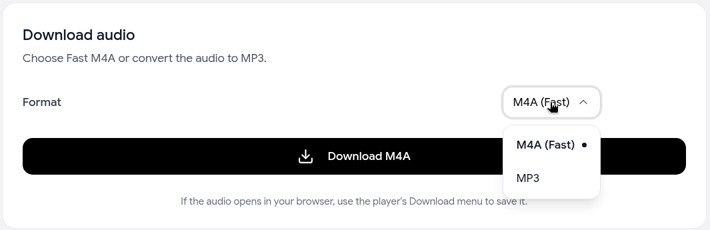
If you pick MP3, choose a quality: 128, 192 (recommended) or 320 kbps.
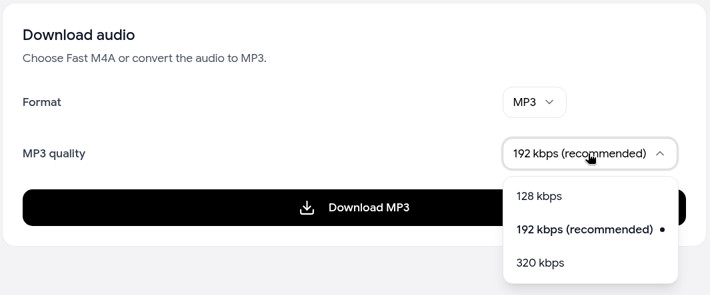
-
Click Download MP3 or Download M4A.
- MP3: the button shows progress ("Downloading audio…", then "Converting your MP3…") and the file saves to your Downloads folder, named after the video. In our test, a 3.5-minute song took about 80 seconds.
- M4A (Fast): the audio opens in a new browser tab, straight from YouTube's servers. Save it from the player's ⋮ menu with Download. It may save as videoplayback with no file extension; rename it to end in .m4a and it plays normally.
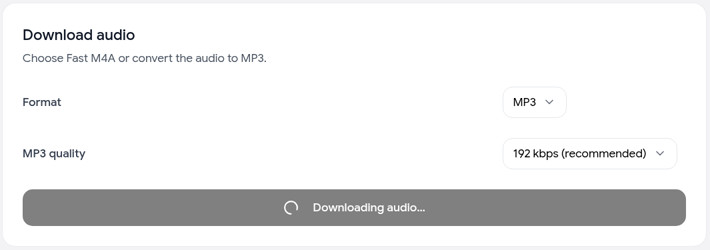
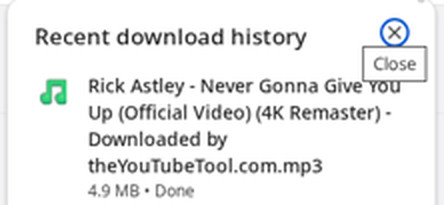
Not sure yet? The page has a Try it first button that downloads a sample video's audio as MP3, so you can see the result before pasting your own link.
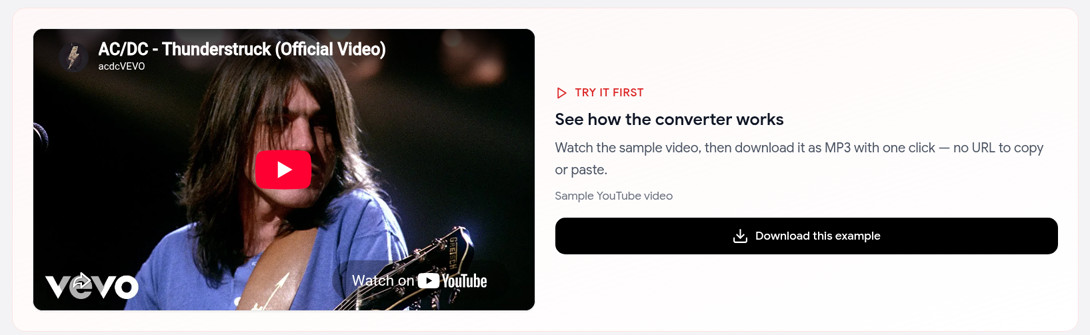
Here's the kind of file you end up with, an ordinary MP3 you can open in any app:

M4A or MP3: which audio format should you choose?
The two options are built differently:
- M4A (Fast) is the audio stream YouTube itself plays. We hand it to you as-is, AAC audio in an M4A file. In our tests that stream was about 128 kbps. Nothing gets re-encoded, so the quality is exactly what you hear on YouTube, and there's no waiting for a conversion. It opens in a new tab, and you save it from there.
- MP3 is made by converting that same audio to MP3 at the bitrate you choose. It takes longer, about 80 seconds for a 3.5-minute song in our test, and for most videos the conversion runs right in your browser. The payoff is compatibility: MP3 plays on almost every device, car stereo and app ever made.
A higher MP3 bitrate can't add detail that wasn't in YouTube's audio to begin with. It only keeps more of what's there. So choose M4A when your app supports it, and MP3 when you need it to work everywhere.
| You want to… | Pick | Why |
|---|---|---|
| Listen on iPhone, Mac or a modern Android phone | M4A (Fast) | Original quality, fastest, plays in Apple's apps and most players |
| Play it in a car stereo, an older MP3 player or a smart speaker | MP3 192 kbps | MP3 plays almost everywhere |
| Save a podcast, lecture or interview | M4A, or MP3 128 kbps | Speech sounds fine at 128 kbps, and the files stay small |
| Keep music for everyday listening | M4A, or MP3 192 kbps | Good quality at a sensible size |
| Use the audio in a video edit | M4A | No extra conversion before you edit and export again |
| Upload to an app that only accepts MP3 | MP3 192 or 320 kbps | Keeps more of the source when the app compresses it again |
For more on MP3 bitrates and converting, see our YouTube to MP3 guide.
How big are YouTube audio files?
Audio files are small, roughly a tenth of a 1080p video or less. Approximate sizes:
| Length | M4A (~128 kbps) | MP3 128 kbps | MP3 192 kbps | MP3 320 kbps |
|---|---|---|---|---|
| 3-minute song | ~3 MB | ~3 MB | ~4 MB | ~7 MB |
| 30-minute podcast | ~29 MB | ~29 MB | ~43 MB | ~72 MB |
| 2-hour lecture | ~115 MB | ~115 MB | ~173 MB | ~288 MB |
These are estimates from the bitrate. Actual files vary a little. In our tests, a 3.5-minute song came out at about 3.3 MB as M4A and 4.9 MB as MP3 at 192 kbps.
Can you download audio as WAV or FLAC?
Not with our tool. It offers M4A and MP3 only. A WAV or FLAC made from YouTube audio wouldn't sound any better anyway. Those formats store audio without compression, but YouTube's audio is already compressed, so converting it only makes the file bigger.
If an app insists on WAV, download the M4A and convert it with an audio editor or converter that exports WAV.
Can you download audio on your phone?
Yes. The downloader runs in Safari or Chrome, so there's nothing to install.
- iPhone: downloads go to the Files app, under Downloads (Apple Support). M4A files play right there. Our iPhone guide covers where files land and how to move them.
- Android: the file goes to your Downloads folder, where music and podcast apps can find it.
On phones, M4A is the quickest choice, since converting to MP3 takes longer on a phone than on a computer.
What if the audio download doesn't work?
- MP3 fails or stalls. Choose M4A (Fast) instead. It skips conversion, and it's the fallback the tool itself suggests. Or try MP3 again in a few minutes. Right now MP3 can fail on auto-generated YouTube Music songs (the audio-only "Topic" tracks); M4A is the way to go for those.
- M4A opens in a player instead of saving. That's expected: M4A (Fast) opens in a new tab. Use the player's ⋮ menu and choose Download.
- The file is called "videoplayback" and won't open. Saved M4A files can come down without an extension. Rename the file to add .m4a at the end (for example
song.m4a). - The link isn't accepted. Use a single video link. Playlist and channel links don't work, and neither do
youtube.com/live/...links. Open the video and copy its watch link or share link instead. - The video is very long. Videos over 4 hours can't be downloaded.
FAQ
Is this YouTube audio downloader free? Yes, with no sign-up and no ads. There are fair-use limits to keep it free, but normal use isn't affected.
What's the best audio quality you can download from YouTube? M4A (Fast). It's YouTube's own audio track without re-encoding, so nothing is lost on the way.
Can I download audio from YouTube Shorts? Yes. Paste the Short's link the same way. See the Shorts downloader guide if you want the video too.
Can I download audio from YouTube Music?
Yes. Paste a music.youtube.com/watch?v=... song link. Album and playlist links aren't supported, and auto-generated "Topic" songs may fail on MP3 right now, so use M4A for those. More in our YouTube Music downloader guide.
Can I download the video and audio together? Use the YouTube video downloader for MP4 or WebM with sound, from 360p to 1080p.
I only need the words. Is there a faster way? Yes. Grab the transcript instead of the audio.
Related guides
- YouTube to MP3: converting to MP3 and picking a bitrate.
- YouTube Music downloader: saving songs from music.youtube.com.
- How to download YouTube videos: full videos on any device.
- How to download YouTube videos on iPhone: Safari steps and where files go.